Voice recorder and transcription app
Every conversation
worth keeping, kept.
Record on iPhone, Mac or your wrist, or upload any recording in your browser. Recordd transcribes it, labels who said what, and keeps every word searchable. Free to start, no credit card.
Free to start · no credit card · Pro is unlimited, cancel anytime
From the founder of Speedcheck
Never trains on your data26 languagesNo bot in your calls

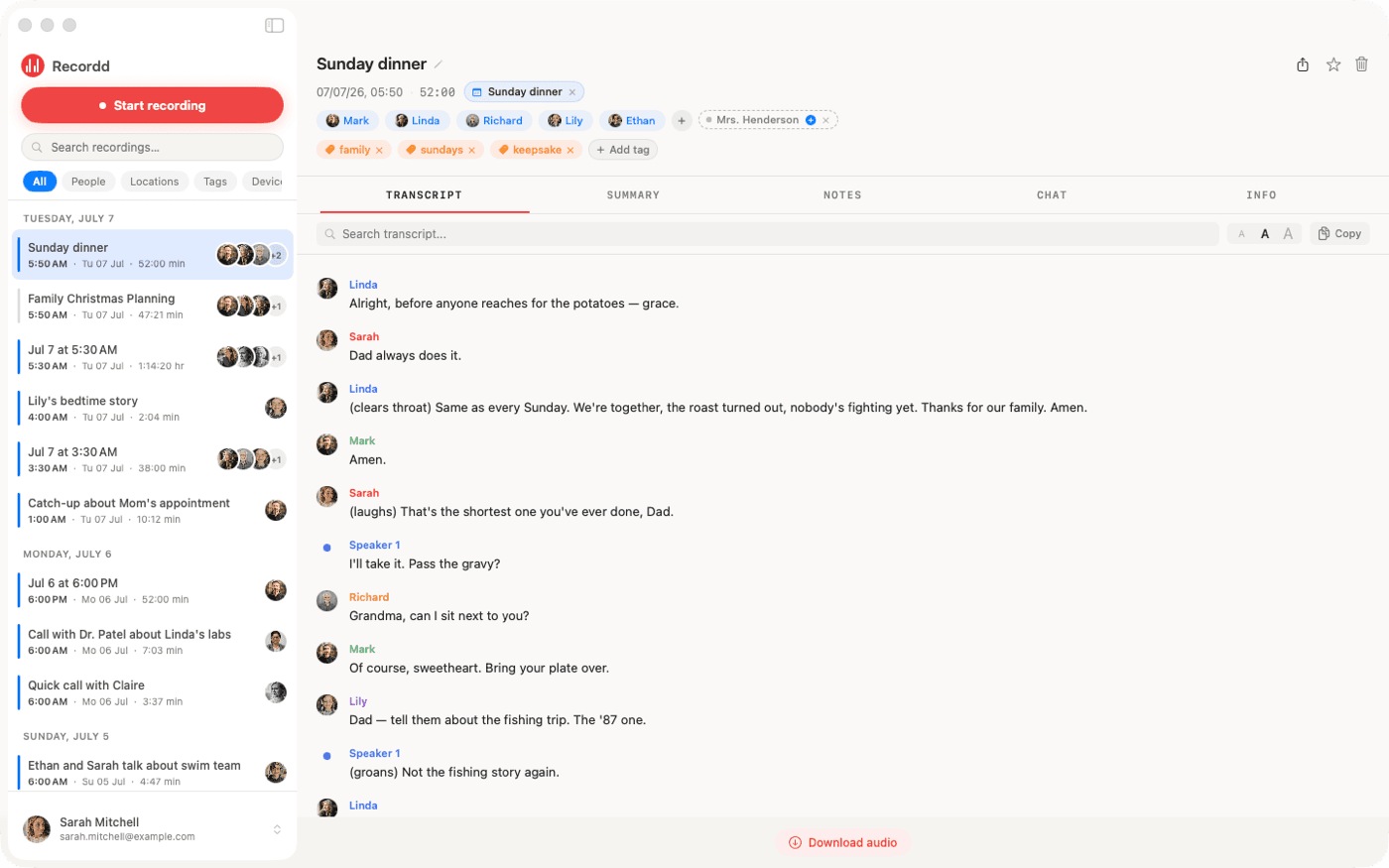

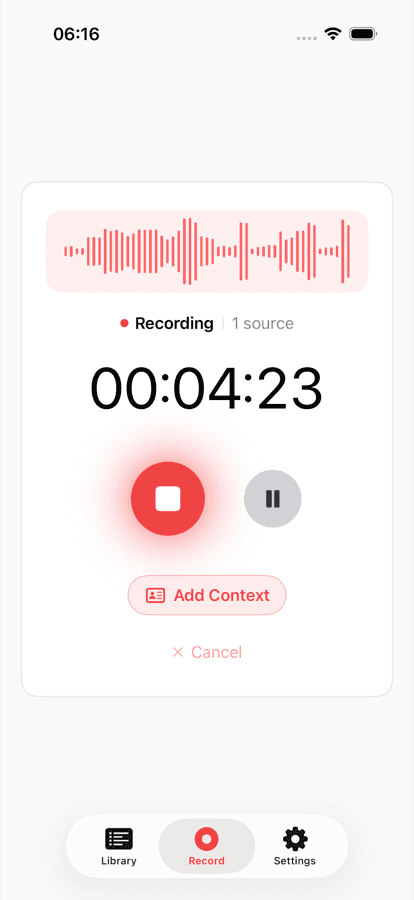
The voice recorder app on iPhone and Mac
This is the whole thing,
actually running.
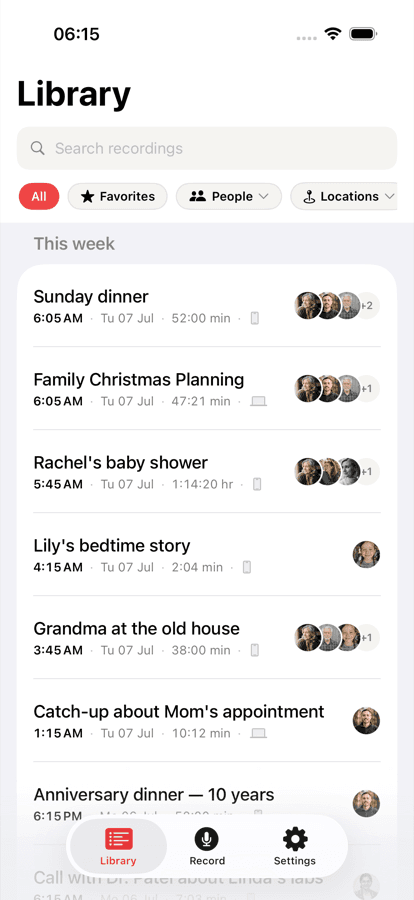
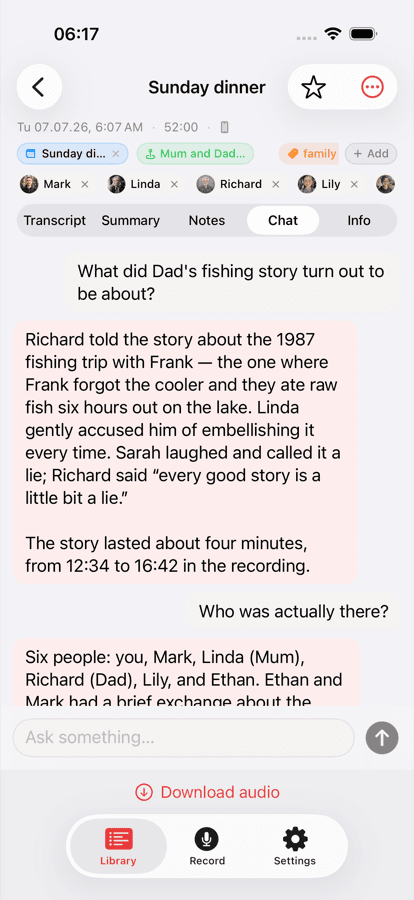
Your library on iPhone, ask-anything chat on any recording, and the full desktop transcript on Mac. Same library, everywhere.
Why a voice recorder with transcription
Your life happens in conversation.
Somewhere, those conversations should be kept.
The forgotten idea
You'll never remember the best thing you said today.
The idea on the walk. The phrase your friend landed perfectly. The thing the doctor told you to do. Your memory isn't built to keep them, but they're the moments you'd give anything to have back.
The note-taker tax
You can't be present and write it down.
Every time you look at your phone to take notes, you miss the room. Recordd runs in the background so you're fully there, and the searchable transcript shows up when you need it.
Voice Memos gave up
Press record, lose it forever.
Native recorders capture audio and nothing else. No transcripts, no search, no context. Just a list of files named “New Recording 47.” You end up with hundreds you'll never open again.
How it works: record, transcribe, search
Three steps. Ten seconds
of your attention.
Press record.
One tap on iPhone or Apple Watch, one keystroke on the Mac. Recording keeps going with your phone locked and your Mac backgrounded, and on Mac it captures both sides of a call. No bot, nothing for anyone else to install.
All the context.
Every recording arrives with location, timestamp, participants, and speaker labels captured automatically. Nothing to tag. Nothing to file.
The library you're not building yet.
Every recording is a piece your future assistant will need. The people who start recording early will have context nobody else can buy. The library compounds while you sleep.
Voice recorder for iPhone, iPad, Mac & Apple Watch
Wherever it’s said, it’s kept.
Start a recording on your Watch, finish it on your phone, review it on your Mac, read it on your iPad. It’s all one library that follows you.
iPhone
Record on the go. Voice notes, calls, the thought on a walk.
iPad
Read, search, and ask questions about every recording on the big screen.
Mac
Dual-track meetings — your mic and the room's audio, cleanly separated.
Apple Watch
Tap to record from your wrist. It syncs to your library automatically.
AI transcription, speaker labels, search & chat
Record. Transcribe. Ask it
anything. Find it later.
Instant transcripts
From spoken to searchable in under a minute.
Every recording gets a speaker-labeled transcript automatically. Transcription works in 26 languages and the app itself speaks 28, so your library speaks yours. No copy-paste, no waiting.
 Sarah00:12
 You00:18
Ask anything
Chat with any recording like it's a friend.
“What did the doctor say about my knee?” “What did we agree on in last week's 1:1?” Ask. Get an answer. Jump straight to the moment it was said. Every recording gets an AI summary and title the moment it lands.
Context, automatically
Who, where, when. Captured for you.
Every recording arrives with structure attached: the place, the time, who spoke (identified by voice), and participants pulled from the transcript. Want more? Speak a sentence like “coffee with Sarah about the Tokyo trip” and we parse the rest.
“Coffee with Sarah, talking about the Tokyo trip in May.”
SarahTokyo trip May 2026Your library, organized
Every conversation, findable in seconds.
Search by person, filter by place, pull up every conversation from last Thursday. Your audio life becomes a browsable index, not a folder of unnamed voice memos. Calendar-aware, too: recordings know who was in the room.
Cafés
23 recordings
Office
47 recordings
Walks
12 recordings
Home
31 recordings
Safe in the cloud
Every recording backed up. Your phone stays free.
Recordings sync to your private cloud library the moment they finish, so a lost or upgraded phone never means a lost conversation. And because they live in the cloud, they stop eating your storage. Reclaim the gigabytes a folder of old voice memos quietly swallowed.
113 recordings, safe in your library
7.2 GB freed on this iPhone
Private voice recordings, never used to train AI
The most personal things you record deserve the most respect.
Your recordings stay yours
Everything lives in your own account. Recordd is a personal library — not a data set.
Never used to train AI
Your conversations are never used to train models. They're transcribed for you, and only you.
Yours to take with you
Export any recording as text or Markdown. No lock-in, no hostage data.
Voice recorder app pricing: free plan and Pro
Simple, honest pricing.
Free to start. Upgrade when you're ready. Every plan lives inside the app.
Annual
$99.99 billed once a year · 3-day free trial
Subscribe from the app · cancel anytime
Weekly
Cancel anytime · no trial
One subscription · iPhone, iPad, Mac & Watch
Both Pro plans include
- ✓Unlimited recording time
- ✓Unlimited transcripts, summaries, and chat
- ✓Speaker-labeled transcripts with timestamps
- ✓Export transcripts (MD, TXT)
- ✓Location tagging (optional)
- ✓Calendar-aware people suggestions
- ✓iPhone, iPad, Mac and Apple Watch, same library
- ✓Private by default, never used to train AI
Free: 40 minutes on the house. Every feature unlocked, no credit card, try it end-to-end.
Voice recorder and transcription questions
The important stuff.
Do I need consent to record a conversation?+
In many places, including 11 US states and most of Europe, yes: consent is legally required from everyone being recorded. Recordd is the tool; using it legally is on you. Rule of thumb: if you'd be uncomfortable telling the other person, don't. If you would, just say so. Most people say yes.
Is my audio private? Where does it go?+
Your audio and transcripts sync to your private Recordd library so they're available on all your devices. Transcription runs on our servers; nothing is used to train any AI model, ours or a third party's. You can delete anything permanently at any time.
How is Recordd different from Otter, Fathom, Granola?+
Those tools record meetings you schedule, with a bot joining the call on your behalf. Recordd captures every conversation you're part of (meetings, phone calls, walks, coffees) without a bot, without installing anything on anyone else's device. A personal conversation library that happens to transcribe meetings, not a meeting tool that happens to record.
Does Recordd work offline?+
Recording works fully offline, even in airplane mode, even when your phone is locked. Transcription needs a connection because it runs on a server, but your audio queues on your device and transcribes as soon as you're online. You never miss a recording because of signal.
Can I record on iPhone and see it on Mac?+
Yes. Recordings made on iPhone sync to your library and appear on your Mac automatically: audio, transcript, summary, and everything you've added. On Mac, the app can also capture the other side of a call from your system audio.
Can I export my recordings?+
Yes. Every recording exports as a plain-text transcript or Markdown with speaker labels, and on Mac you can reveal the audio file itself. Your library is yours.
What's the 40-minute free tier? Does it refresh?+
You get 40 minutes of total recording (lifetime, not monthly) with every feature unlocked. When you hit the cap you can keep the app to review what you've recorded, or upgrade to Pro anytime for unlimited time.
Download the voice recorder app for iPhone and Mac
Get Recordd.
40 minutes free. Every feature unlocked. Takes 30 seconds to set up, and your library compounds from minute one.
40 minutes free, forever · every feature included · try Pro free, cancel anytime