Record meetings without a bot: a personal meeting recorder for founders
No bot in the room. Just you.
Investors notice when a bot joins the call. So do candidates and customers. Recordd lets you record meetings without a bot: press ⌘R on your Mac and it captures your microphone and the call as two separate tracks, whatever app the meeting is in. Nobody joins, nothing changes on their screen.
Tell people you are recording. In many places you need everyone’s consent, and a quick “mind if I record this for my notes” costs nothing. Ask first.
40 minutes free, forever · every feature included · try Pro free, cancel anytime
What founders and operators record
The moments worth keeping.
The investor call
Zoom opens, you press ⌘R, and you are fully in the conversation instead of typing. Afterwards, tap Process. The summary and action items are ready before the follow-up email would have been, and the transcript is there when you want the exact words on valuation.
The back-to-back day
Meet, then Teams, then a WhatsApp call from a supplier. Recordd records each one the same way, follows your default microphone if you swap to AirPods mid-call, and with calendar access suggests who was in the room so you can attach them.
The walk-and-talk
The idea arrives on the way to lunch. One tap on your Apple Watch, or open the app on your iPhone, and talk it through. Process it later and the action items are already listed. Search for it a month on and it is still there.
How Recordd fits founders and operators
Built for how you actually use it.
Two tracks, no bot, one permission
On Mac, Recordd records your mic and system audio as separate tracks through Apple’s ScreenCaptureKit. No virtual driver, no video accessed, no participant added. Works with FaceTime, Zoom, Google Meet, Microsoft Teams, Slack, WhatsApp, Discord, and browser audio.
Summary, action items, and the exact words
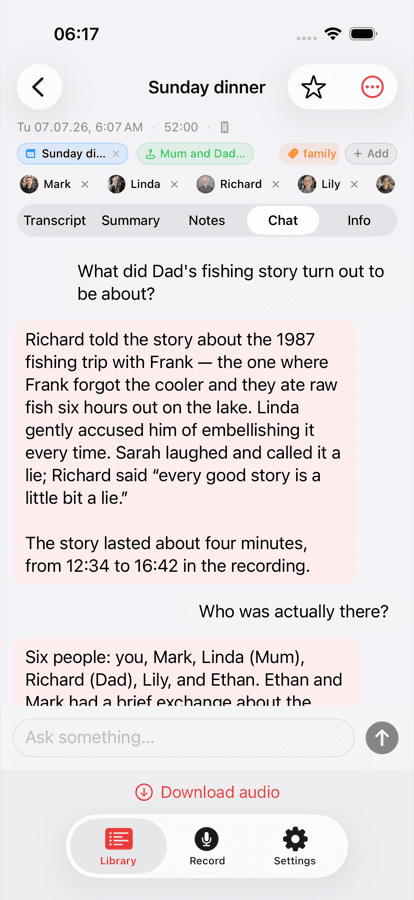
After Process, every meeting gets a title, a summary, and action items. Chat with the recording to ask what was decided and jump to the moment. Only the transcript text is used, never the audio.
Who said what
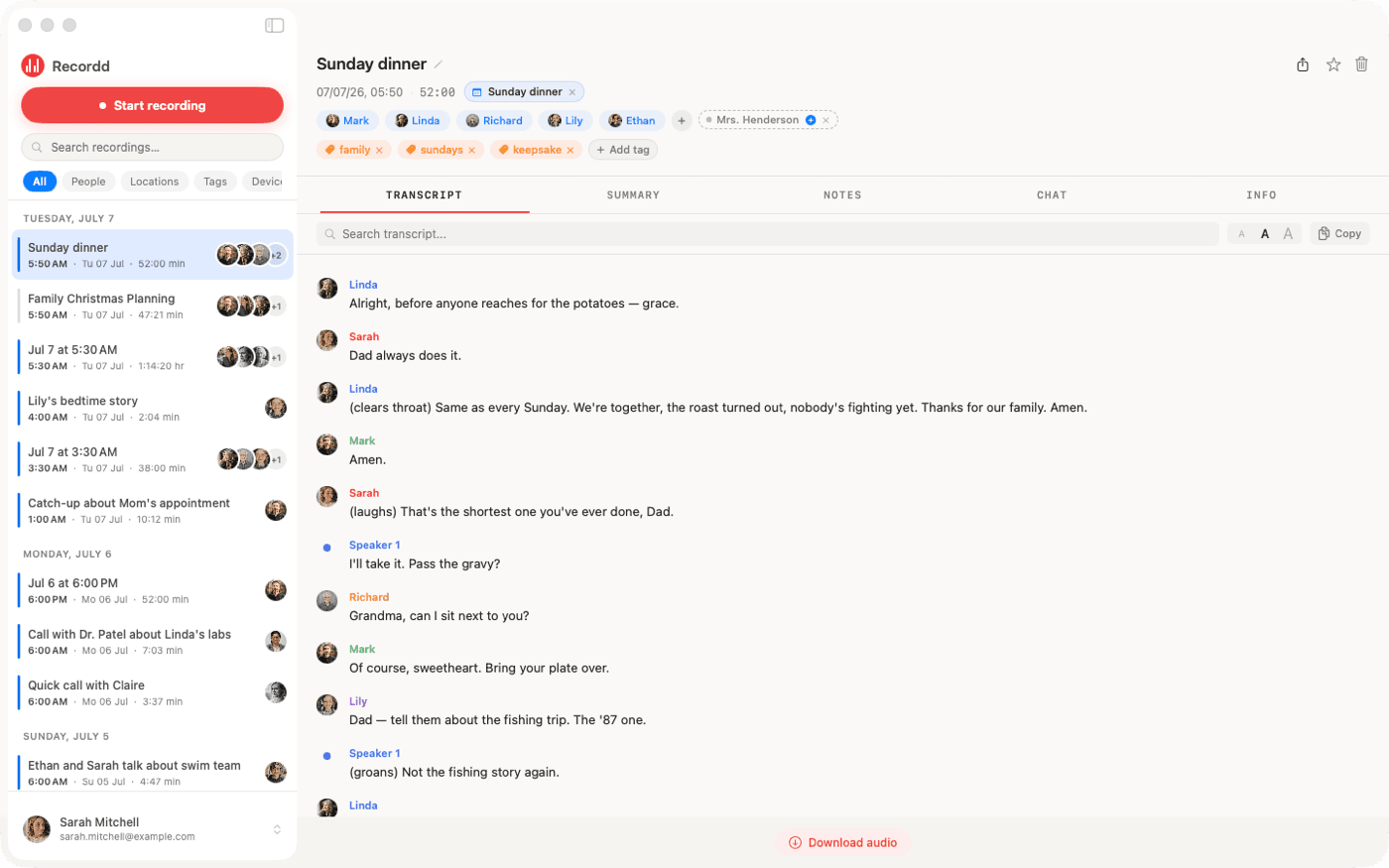
Speakers are separated by Recordd’s own model and your voice is tagged “me”. Name a cofounder or investor once and they are recognized in later calls. Your calendar, with permission, suggests attendees.
Search the whole history
Search words, people, places, and tags across every recording, on any of your devices. Export any transcript as Markdown or plain text with speaker labels, or copy it into your notes.
The voice recorder app on iPhone and Mac
This is the whole thing,
actually running.
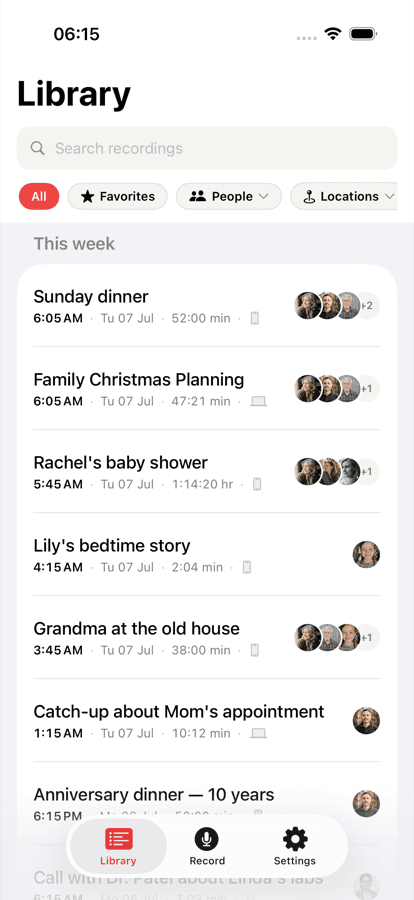
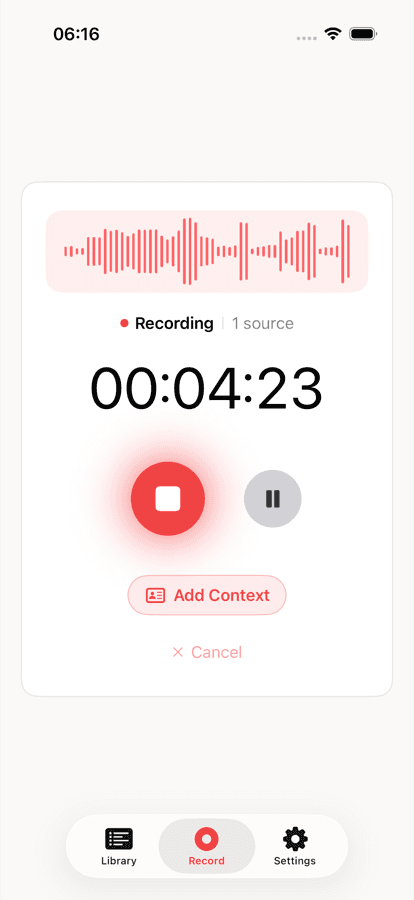
Your library on iPhone, ask-anything chat on any recording, and the full desktop transcript on Mac. Same library, everywhere.
Recordd for founders and operators: questions
Before you start.
Does anyone on the call see that I am recording?+
Recordd does not join the call, so nothing appears in the participant list. That is exactly why you should say you are recording. In many places you need everyone’s consent, so ask first.
Which meeting apps work?+
Any app that plays audio on your Mac: FaceTime, Zoom, Google Meet, Microsoft Teams, Slack, WhatsApp, Discord, and calls in the browser. Recordd captures system audio through ScreenCaptureKit, so there is nothing to configure per app.
Can I record phone calls on my iPhone?+
No. Third-party apps cannot record cellular calls on iPhone. For calls, use the Mac app. On iPhone and Apple Watch, Recordd records the microphone, which is ideal for in-person meetings and thinking out loud.
Is the transcript live during the meeting?+
No. Recordd records during the meeting and transcribes when you tap Process afterwards, which usually takes a few minutes. Recording works offline; audio uploads in segments as you go, so a crash or sleep does not lose the meeting.
Download the voice recorder app for iPhone and Mac
Get Recordd.
40 minutes free. Every feature unlocked. Takes 30 seconds to set up, and your library compounds from minute one.
40 minutes free, forever · every feature included · try Pro free, cancel anytime