Interview recording app with transcription: two tracks, speaker labels, quotes
Get the quote right.
Recordd is an interview recording app with transcription built for people who will be quoted on what they heard. On the Mac it records your microphone and the call as two separate tracks. On the iPhone it records in the field, offline if it has to, and transcribes when you are back on a network.
Tell your source you are recording. In many places you need everyone’s consent, and in journalism it is simply the honest thing to do. Ask first.
40 minutes free, forever · every feature included · try Pro free, cancel anytime
What journalists and writers record
The moments worth keeping.
The remote interview
Your source is on Zoom, Google Meet, Teams, or WhatsApp. Press ⌘R on your Mac. Recordd records your voice and the call as two clean tracks through Apple’s ScreenCaptureKit, with no virtual audio driver, no video, and no bot joining the call. Echo cancellation keeps your voice off the other track.
The interview in a noisy cafe
Phone on the table, screen locked, recording. No signal needed. Later, tap Process and the transcript separates the two of you into labeled speakers, so pulling a quote is a copy, not a re-listen.
Writing the piece
You have a great line but you want the exact words. Open the recording, ask it where she talked about the vote, and jump to the moment to check the quote against the audio. Then export the transcript as Markdown into your draft.
How Recordd fits journalists and writers
Built for how you actually use it.
Two clean tracks on Mac
Microphone and system audio are captured as two separate tracks with one permission. Mic ducking and echo cancellation keep your questions off your source’s track. Recordd follows the default input device if you switch mics mid-call.
Speaker labels that learn
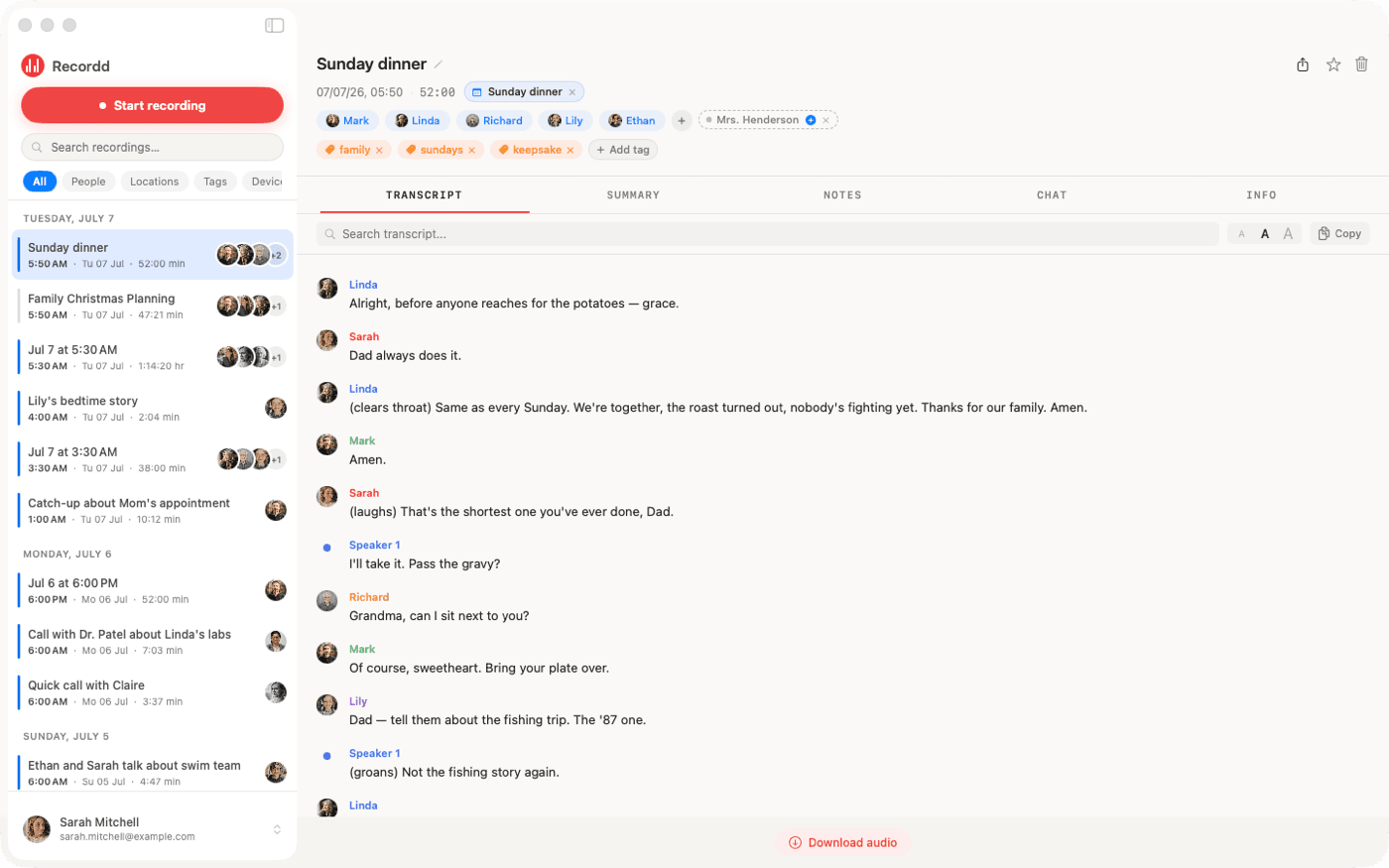
Recordd’s own model separates speakers. On Mac your voice is tagged as “me” automatically. Name a source once and their voice is recognized in your other recordings.
Export to your draft
Export any transcript as Markdown or plain text with speaker labels, or copy it straight into your editor. On Mac, Recordd reveals the audio file so you can archive it with the story.
Field-ready
Recording works fully offline and is written to disk in short segments. If the app crashes or the phone dies, the recording is recovered on next launch. Transcription runs when you are online, in 26 languages with auto-detect.
The voice recorder app on iPhone and Mac
This is the whole thing,
actually running.
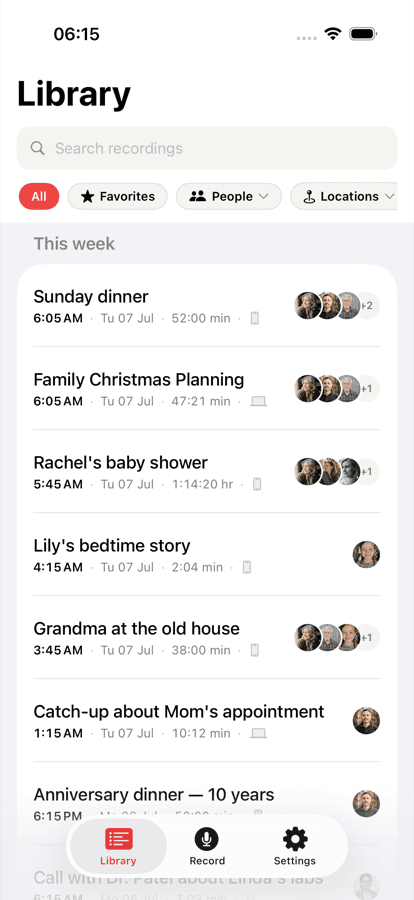
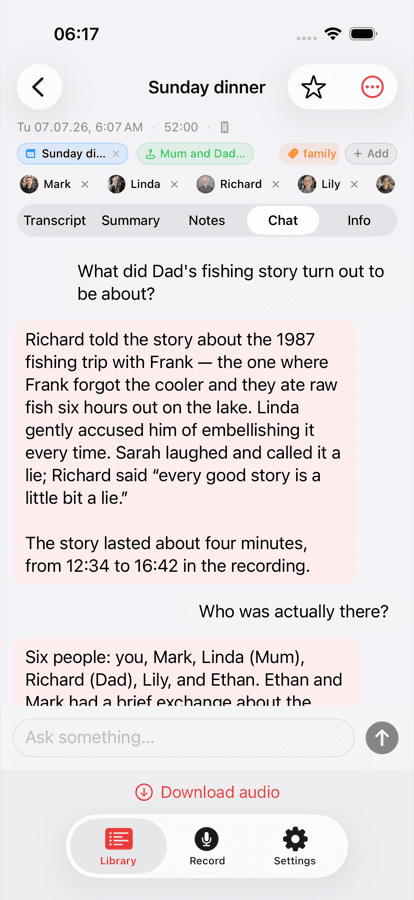
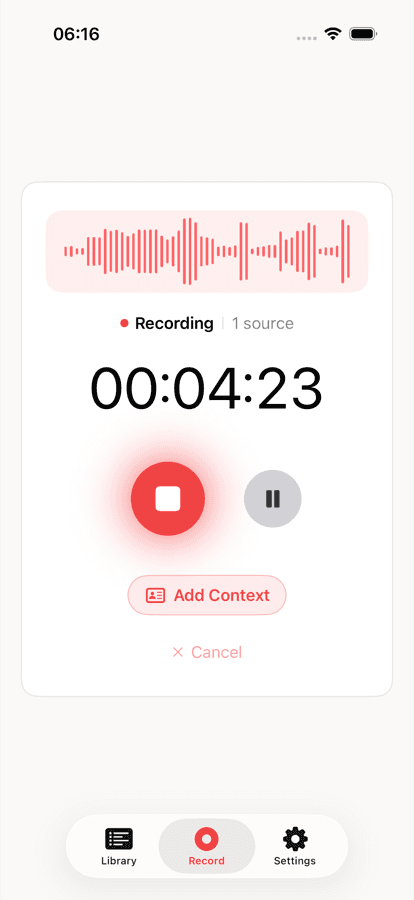
Your library on iPhone, ask-anything chat on any recording, and the full desktop transcript on Mac. Same library, everywhere.
Recordd for journalists and writers: questions
Before you start.
Can Recordd record phone calls on my iPhone?+
No. Apple does not allow third-party apps to record cellular calls on iPhone. For remote interviews, use the Mac app with FaceTime, Zoom, Meet, Teams, WhatsApp, or any other call app, and you get two clean tracks.
Does it label who said what?+
Yes. Recordd’s speaker separation labels each speaker in the transcript. On Mac your own voice is tagged “me”. Name a speaker once and Recordd recognizes their voice in future recordings.
Can I import recordings I made elsewhere?+
Yes. On iPhone, import an audio file from the Files picker one at a time. On Mac, open several at once in m4a, wav, aiff, or mp3.
What formats can I export?+
Markdown and plain text, both with speaker labels, plus copy to clipboard. On Mac, Recordd also reveals the recorded audio file. There is no PDF or SRT export.
Download the voice recorder app for iPhone and Mac
Get Recordd.
40 minutes free. Every feature unlocked. Takes 30 seconds to set up, and your library compounds from minute one.
40 minutes free, forever · every feature included · try Pro free, cancel anytime