Record a podcast interview on Mac with two separate tracks and a transcript
Two clean tracks, kept safe.
The simplest way to record a podcast interview on Mac is to press ⌘R. Recordd captures your microphone and your guest, coming in over Zoom, Meet, FaceTime, or whatever you use, as two separate tracks through Apple’s ScreenCaptureKit. No virtual audio driver, no routing to set up, no bot in the call.
Recordd is a recorder and a transcription tool, not an editor. It gives you a clean, safe capture and a speaker-labeled transcript. Your editing stays in the tool you already use.
40 minutes free, forever · every feature included · try Pro free, cancel anytime
What podcasters and interviewers record
The moments worth keeping.
The remote guest
Your guest joins on Meet from a laptop with a so-so mic. Recordd records their audio from the call and your voice from your microphone as two tracks. Echo cancellation and mic ducking keep your voice off their track, so your questions do not bleed into their answers.
The time the Mac went to sleep
Forty minutes in, the lid closes or the app quits. Recordd writes audio to disk in short segments while recording, so on the next launch the recording is recovered rather than gone.
Writing the show notes
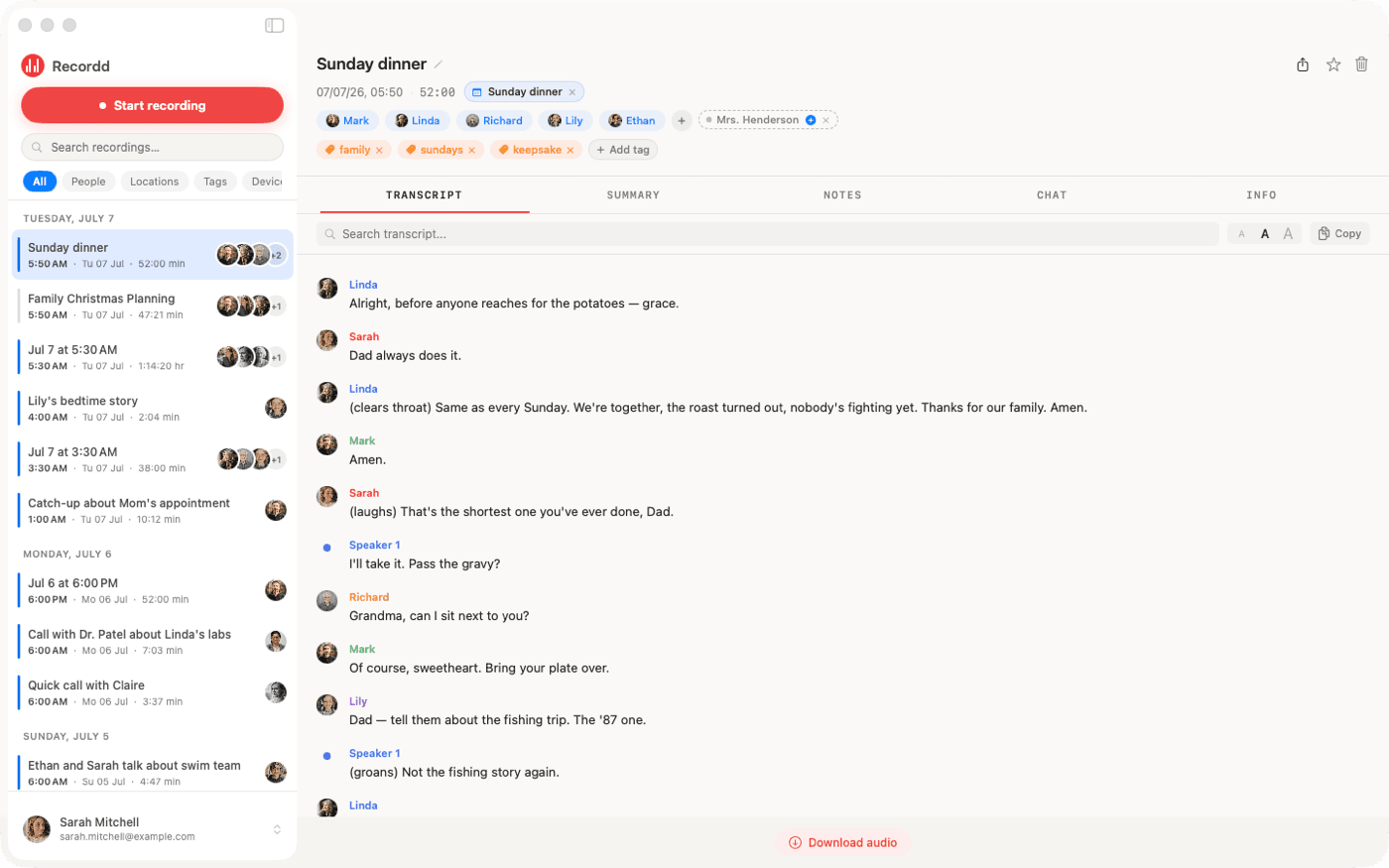
Tap Process and the transcript comes back with each speaker labeled, your voice tagged as “me”. Pull the best lines, ask the recording where your guest told the story about the first launch, and jump to the moment to find the clip.
How Recordd fits podcasters and interviewers
Built for how you actually use it.
Mic and guest, separately
Two separate tracks, one permission, no video accessed. Recordd follows the default input device, so plugging in your interface or switching mics mid-session does not break the recording.
Speakers that stay named
Recordd’s own model separates speakers. Name a recurring cohost once and their voice is recognized in future episodes. Attach guests from your contacts, and let your calendar suggest who was on the call.
Transcript for the notes
After Process you get a title, a summary, action items, and a transcript in any of 26 languages. Export it as Markdown or plain text with speaker labels, or copy it into your show notes.
The audio file, where you need it
On Mac, Recordd reveals the recorded audio file in Finder so you can drop it into your editor. Recordings also sync to your iPhone and iPad for listening back.
The voice recorder app on iPhone and Mac
This is the whole thing,
actually running.
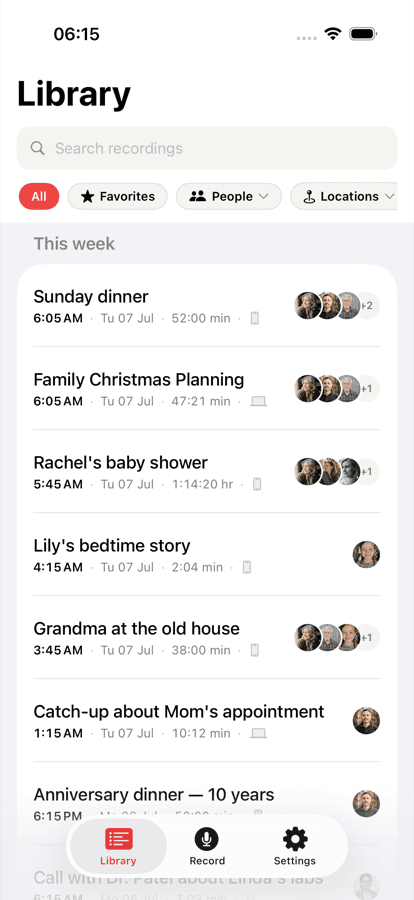
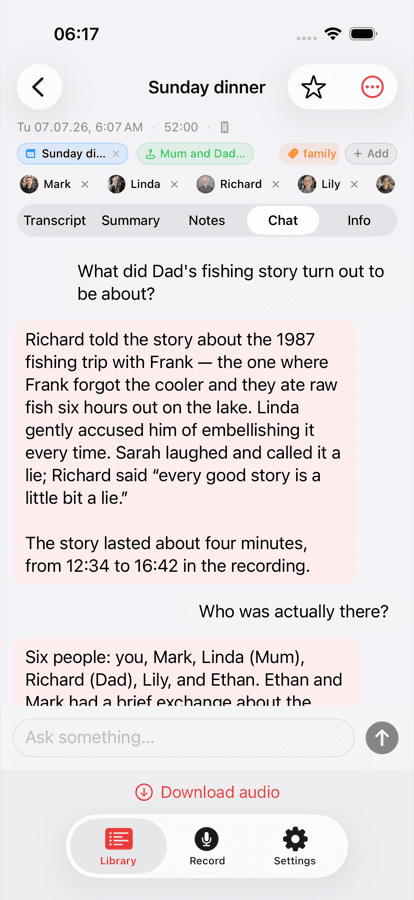
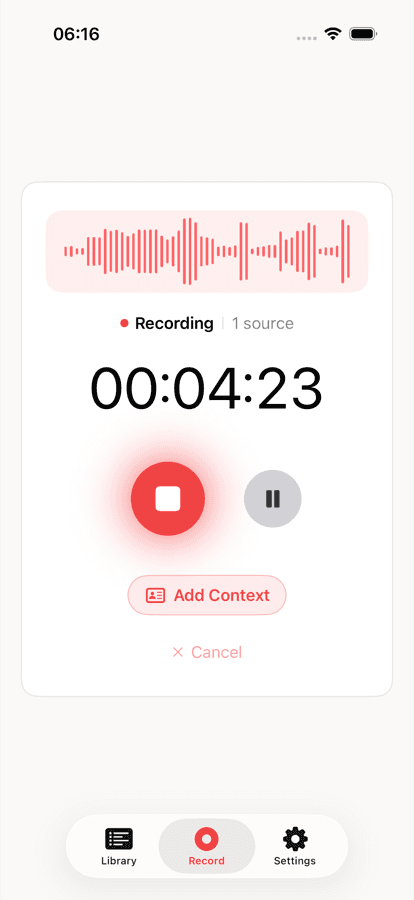
Your library on iPhone, ask-anything chat on any recording, and the full desktop transcript on Mac. Same library, everywhere.
Recordd for podcasters and interviewers: questions
Before you start.
Can I export each track separately?+
No. Recordd reveals the recorded audio file on Mac and exports the transcript as text. It records your mic and the call as two separate tracks so your voice stays off your guest’s audio, but it is not a multitrack editor or a DAW.
Does it replace my editing software?+
No. Recordd is for reliable capture and the transcript. Edit in the tool you already use; Recordd hands you the audio file on Mac and the speaker-labeled transcript for show notes.
What if the Mac crashes during the interview?+
Audio is written to disk in short segments as you record and uploads as you go. After a crash, force-quit, or sleep, the recording is recovered on next launch.
Which call apps work for remote guests?+
FaceTime, Zoom, Google Meet, Microsoft Teams, Slack, WhatsApp, Discord, and browser-based calls. Recordd captures system audio through ScreenCaptureKit, so any app that plays sound on your Mac works.
Download the voice recorder app for iPhone and Mac
Get Recordd.
40 minutes free. Every feature unlocked. Takes 30 seconds to set up, and your library compounds from minute one.
40 minutes free, forever · every feature included · try Pro free, cancel anytime