Voice recorder app for students: record lectures, search the transcript
The whole lecture, kept and searchable.
Recordd is a voice recorder app for students who would rather listen than scribble. Start recording, lock your phone, and put it face down on the desk. Ninety minutes later you have the whole lecture, and after you tap Process you have a transcript you can search, skim, and ask questions.
One thing first: ask your lecturer before you record. Most say yes when you tell them it is for your own studying. In many places you need everyone’s consent to record, so ask first.
40 minutes free, forever · every feature included · try Pro free, cancel anytime
What students record
The moments worth keeping.
The two-hour lecture
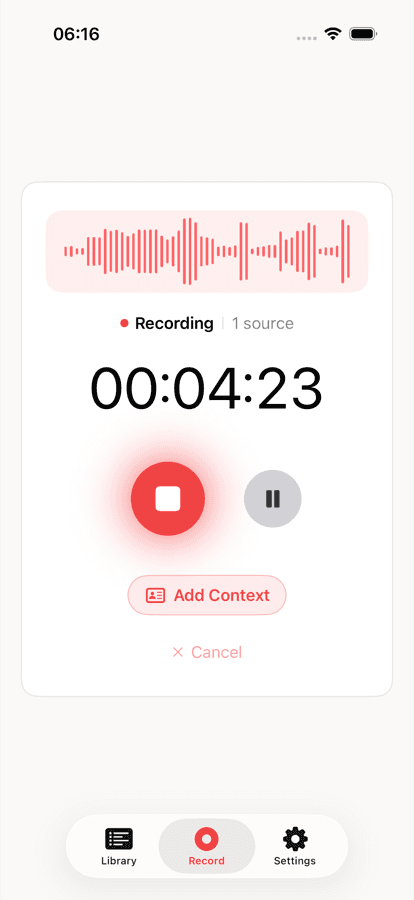
Recording keeps going with the phone locked or Recordd in the background. If a call comes in, the recording pauses and resumes when you hang up. Audio is written to disk in short segments, so a dead battery or a crash does not take the first hour with it.
The seminar you joined from a corridor
You are late and your phone is in your bag. Tap once on your Apple Watch and it records. When you are back at your desk the clip has transferred to your iPhone and goes through the same pipeline as everything else.
The night before the exam
You remember the professor said something about the second proof but not what. Open the recording, ask it, and jump straight to the moment. Or search your whole library for a term and see every lecture where it came up.
How Recordd fits students
Built for how you actually use it.
Search across every lecture
Recordd searches words, people, places, and tags across all your recordings. Type a concept and see which weeks it appeared in, then open the one you need.
Chat with one recording
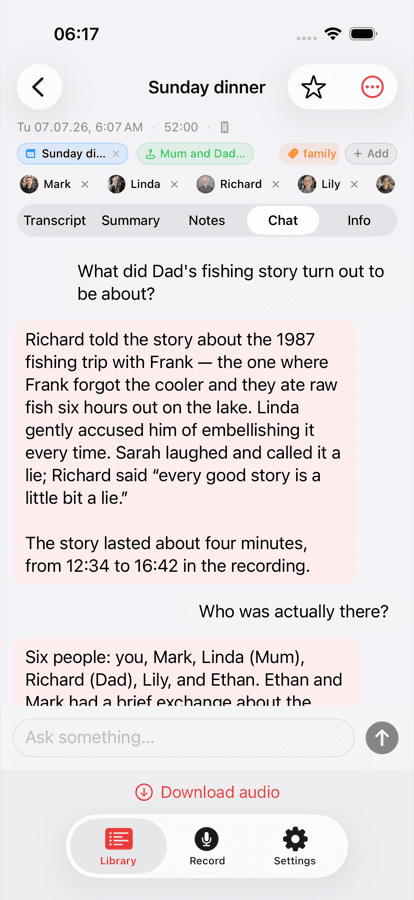
Ask a recording a question in plain language and get an answer drawn from its transcript, with a jump to the moment it was said. Only the transcript text is used, never the audio.
Transcribe when you choose
Transcription is not automatic. After you stop, tap Process to get a transcript, a title, a summary, and action items, or save the audio without transcribing. Deepgram speech-to-text covers 26 languages plus auto-detect.
Everything syncs
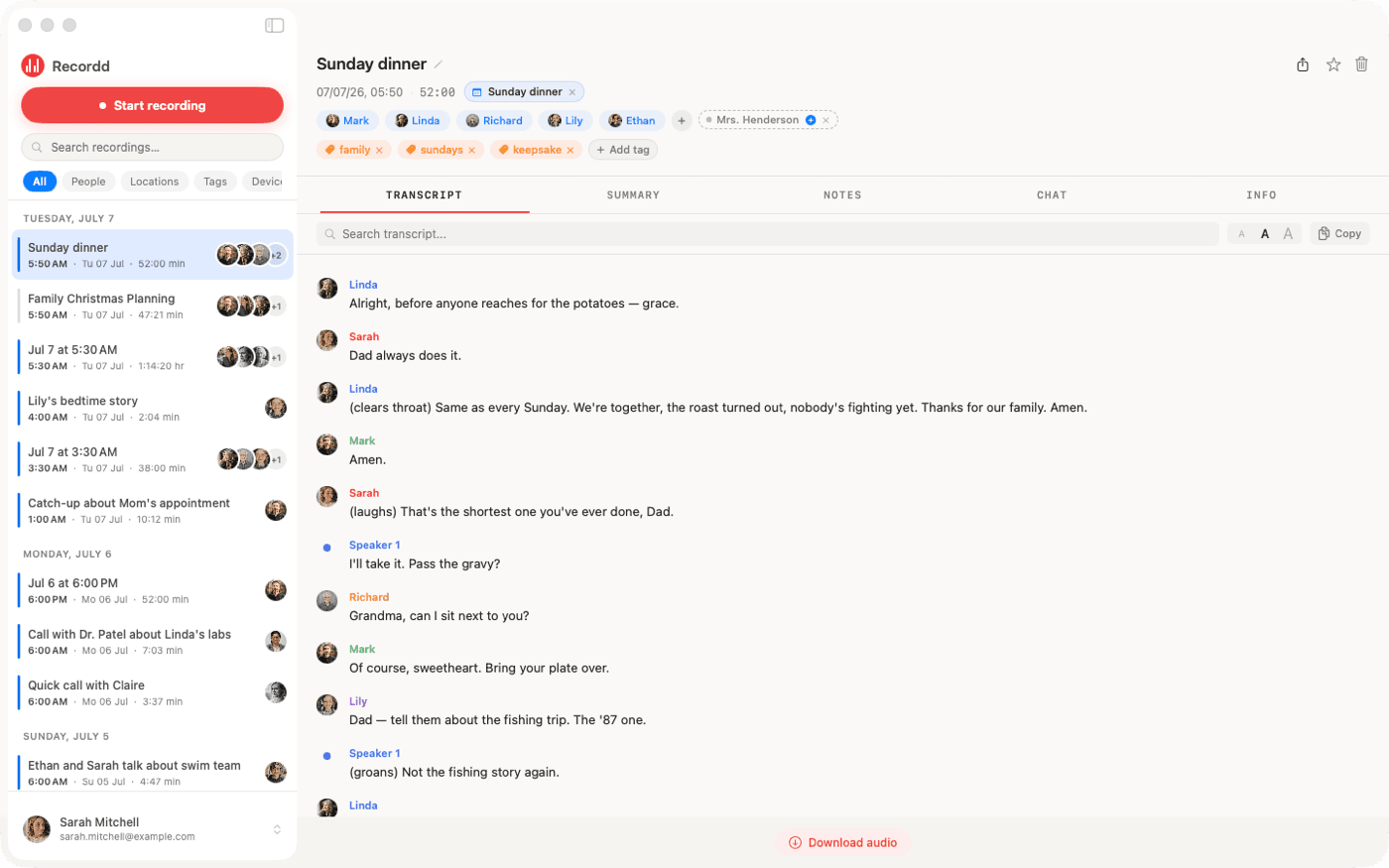
Record on your iPhone, read on your iPad or Mac. Recordings sync to your account and appear on every device. Recording works fully offline; transcription runs when you are back online.
The voice recorder app on iPhone and Mac
This is the whole thing,
actually running.
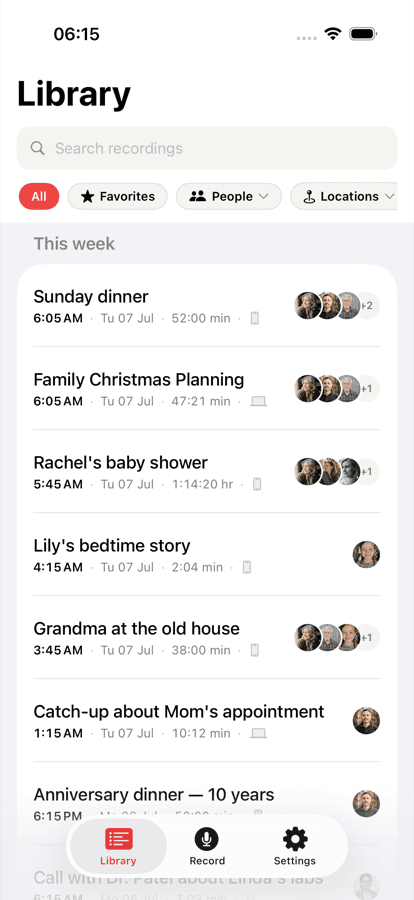
Your library on iPhone, ask-anything chat on any recording, and the full desktop transcript on Mac. Same library, everywhere.
Recordd for students: questions
Before you start.
Does it keep recording when my phone is locked?+
Yes. Recording continues with the phone locked or the app in the background. You can pause and resume at any time. An incoming cellular call pauses the recording and it resumes afterwards.
Do I get a live transcript during the lecture?+
No. Recordd records audio only while you are in the room. When you stop, tap Process and the transcript, summary, and action items arrive shortly after.
How much can I record for free?+
The free plan is the whole app with a 40-minute lifetime recording cap, enough to try it on a real lecture. Pro is $6.99 per week or $99.99 per year, with a free trial on the yearly plan, and covers all your devices.
Is it okay to record a lecture?+
Ask your lecturer first, and check your university’s policy. In many places you need everyone’s consent to record. Recordd is the tool; using it respectfully is on you.
Download the voice recorder app for iPhone and Mac
Get Recordd.
40 minutes free. Every feature unlocked. Takes 30 seconds to set up, and your library compounds from minute one.
40 minutes free, forever · every feature included · try Pro free, cancel anytime