Otter.ai alternative for iPhone and Mac: Recordd vs Otter
No bot in the call. Nothing lost.
If you are looking for an Otter.ai alternative, start with what Otter is: a meeting notetaker. Its assistant joins your Zoom, Google Meet, and Microsoft Teams calls from your calendar, transcribes live, and puts the notes in a shared workspace. That is a good fit for teams. Recordd is built for one person's conversations: calls, meetings, walks, appointments, the idea you had in the car.
The difference shows up in two places. How the audio is captured, and what happens when something goes wrong. On Mac, Recordd records both sides of a call as two separate tracks with nothing joining the meeting. On every device it writes audio to disk in short segments as you go and finishes the recording after a crash, a force-quit, or a closed lid. No live connection is needed while you record.
40 minutes free, forever · every feature included · try Pro free, cancel anytime
Otter.ai vs Recordd, feature by feature
Side by side.
| Otter.ai | Recordd | |
|---|---|---|
| How a call is recorded | Otter's assistant joins Zoom, Google Meet, and Microsoft Teams as a participant and records from inside the meeting | On Mac, your microphone and the system audio are captured as two separate tracks through Apple's ScreenCaptureKit. No bot, no virtual driver, nothing the other side can see |
| Your voice vs theirs | Speaker identification in the transcript | Your own voice is tagged “me”. Echo cancellation and mic ducking keep it off the other track, so each side stays clean |
| If the app crashes or the Mac sleeps mid-recording | Meetings are captured by the bot on Otter's side; in-person recordings run in the mobile app | Audio is written to disk in short segments and uploads as you go. After a crash, force-quit, or sleep, the recording is recovered and finished on next launch |
| Recording without signal | Built around live, connected transcription | Records fully offline, airplane mode included. Transcribes when you're back online |
| Live transcript during the call | Yes, in real time, with live captions for Zoom and Google Meet | No. You tap Process after stopping, or save without transcribing |
| Where it runs | iOS, Android, web, Mac and Windows desktop, Chrome extension | iPhone, iPad, Mac, and Apple Watch. No Android, Windows, or web app |
| Transcription languages | Six on current plans: English, Spanish, French, German, Japanese, Chinese | 26 languages plus auto-detect |
| Recognizing people you talk to often | Speaker names in the transcript; team vocabulary and speakers on paid plans | Speaker separation on Recordd's own model. Name a speaker once and their voice is recognized in other recordings |
| Teams and sharing | Shared workspaces, channels, comments, groups and links, admin controls | A personal library. Share a transcript as Markdown or plain text |
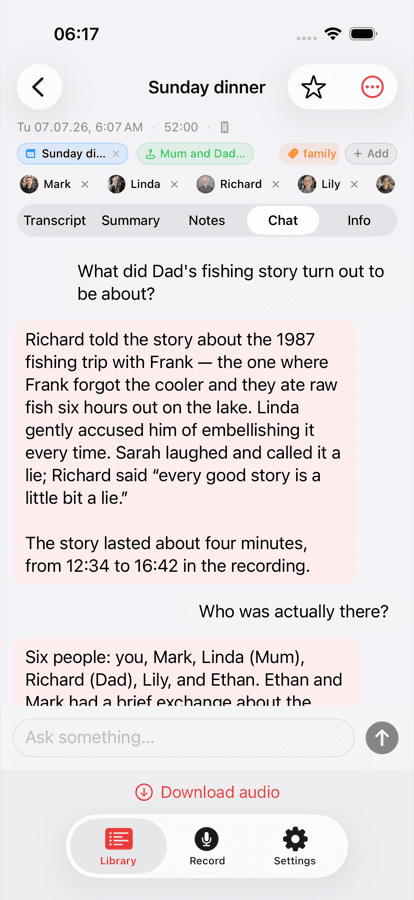
| Ask questions afterwards | Otter AI Chat across meetings and connected apps | Chat with a single recording and jump to the moment. No cross-library chat |
| Integrations | Slack, Salesforce, HubSpot, Notion, Google Docs, calendars, and more | None. Export Markdown or plain text with speaker labels; Mac reveals the audio file |
| Free plan | 300 minutes a month, 30 minutes per conversation, three file imports | 40 minutes lifetime, the whole app. Pro $6.99/week or $99.99/year, one subscription for all devices |
Otter.ai details checked 2026-09-23 on their site. Products change; tell us if something is out of date.
Why switch from Otter.ai to Recordd
What you get to keep.
Both sides of a call, clean
On Mac, your microphone and the other side arrive as two separate tracks. Your voice is tagged “me”, echo cancellation keeps it off their track, and if you switch to AirPods mid-call the recording follows your default input.
A recording that survives
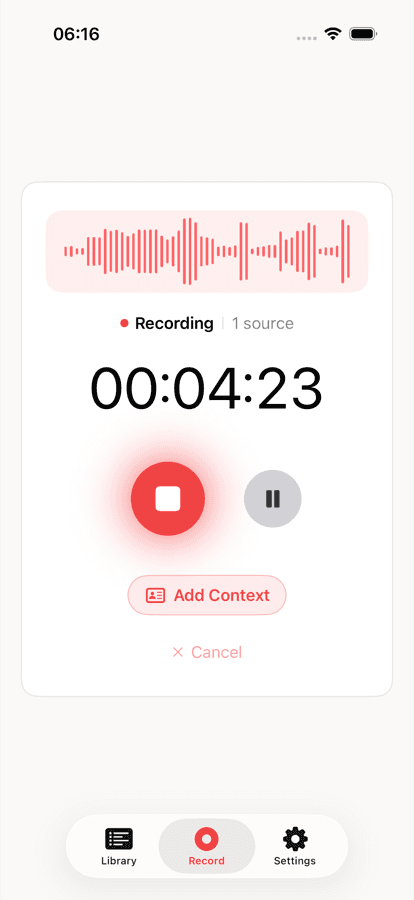
Segments hit disk while you talk and upload as you go. Crash, force-quit, lid closed, no signal: on next launch the recording is recovered and finished. Nothing depends on a live connection while you record.
One library, every device
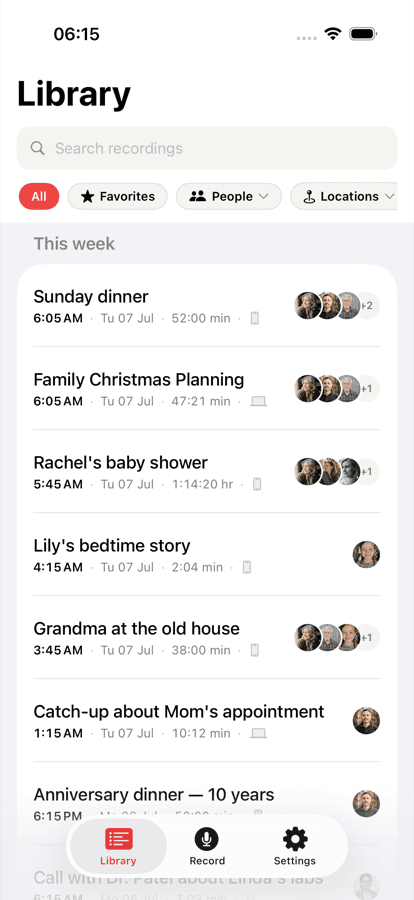
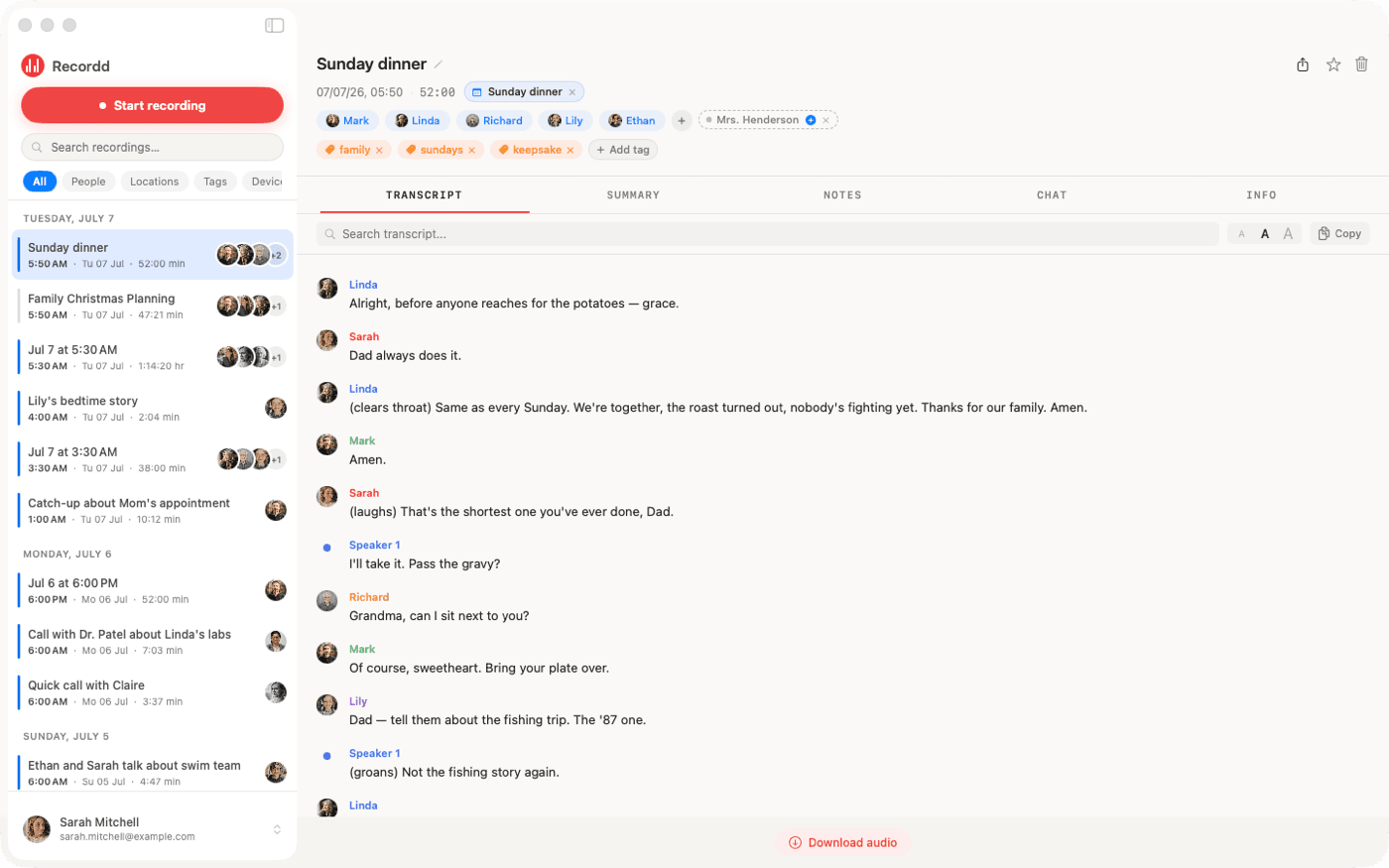
Record on the Watch, the iPhone, or the Mac and it appears everywhere, with its transcript, title, summary, and action items. Search every word, person, place, and tag across all of it.
When Otter is the better choice
Choose Otter if you work in a team that shares meeting notes, if you need a live transcript or captions during the call, if you want notes from meetings you can't attend, or if your people are on Android, Windows, or the web. Otter's integrations with Slack, Salesforce, HubSpot, and Notion matter for sales and support workflows; Recordd has none. Recordd is the better fit when the conversations are yours, many of them are not meetings, and you want the audio captured cleanly and kept safe.
The voice recorder app on iPhone and Mac
This is the whole thing,
actually running.
Your library on iPhone, ask-anything chat on any recording, and the full desktop transcript on Mac. Same library, everywhere.
Otter.ai vs Recordd questions
Before you switch.
Does Recordd join meetings with a bot like Otter?+
No. On Mac, Recordd records your microphone and the system audio as two separate tracks through Apple's ScreenCaptureKit, so nothing joins the call and nothing is installed on anyone else's device. Press ⌘R and it records whatever is playing: FaceTime, Zoom, Google Meet, Microsoft Teams, Slack, WhatsApp, Discord, or a browser.
Can Recordd record Zoom, Meet, and Teams calls?+
On Mac, yes, both sides, each on its own track with your voice tagged “me”. On iPhone, Recordd records the microphone, so a call on speaker is captured from the room. Third-party apps can't record cellular calls on iPhone; an incoming call pauses your recording and it resumes afterwards.
Does Recordd transcribe live during the call?+
No. Recording is the priority while you talk. When you stop, you tap Process and get a transcript in one of 26 languages with speaker labels, a title, a summary, and action items. You can also save a recording without transcribing it.
What happens if my Mac crashes or goes to sleep mid-recording?+
The audio is already on disk in short segments, and the segments already recorded have uploaded. On next launch, Recordd recovers the recording and finishes it. The same applies to a force-quit or a dead battery on iPhone.
Can I get my recordings out of Recordd?+
Yes. Export any transcript as Markdown or plain text with speaker labels, or copy it. On Mac, Recordd reveals the audio file in Finder. There is no PDF or SRT export.
Is Recordd free?+
The free plan is the whole app with 40 minutes of recording, forever. Pro removes the cap for $6.99 a week or $99.99 a year, with a free trial on the yearly plan. One subscription covers iPhone, iPad, Mac, and Watch.
Download the voice recorder app for iPhone and Mac
Get Recordd.
40 minutes free. Every feature unlocked. Takes 30 seconds to set up, and your library compounds from minute one.
40 minutes free, forever · every feature included · try Pro free, cancel anytime