Wave AI alternative: Recordd vs Wave AI Note Taker for iPhone and Mac
Two clean tracks. Nothing lost.
Wave is a strong product, so a Wave AI alternative has to earn the comparison. Wave AI Note Taker runs on iPhone, Android, Mac, Windows, the web, and a Chrome extension, records desktop meetings without a bot, and connects your notes to Claude and ChatGPT. Recordd covers less ground on purpose: iPhone, iPad, Mac, and Apple Watch, and one person's conversations.
Where the two differ is in how the audio is captured and how it is protected. On Mac, Recordd records your microphone and the system audio as two separate tracks through Apple's ScreenCaptureKit, with your own voice tagged “me” and kept off the other track. Everything is written to disk in short segments and uploaded as you go, so a crash, a force-quit, or a lost connection never costs you the recording.
40 minutes free, forever · every feature included · try Pro free, cancel anytime
Wave AI Note Taker vs Recordd, feature by feature
Side by side.
| Wave AI Note Taker | Recordd | |
|---|---|---|
| Recording a Mac call | Records your computer audio directly, no bot, for Zoom, Google Meet, and Teams | Mic and system audio as two separate tracks through ScreenCaptureKit, no bot, no virtual driver. FaceTime, Zoom, Meet, Teams, Slack, WhatsApp, Discord, and browser audio |
| Your voice vs theirs | Voice ID labels speakers automatically | Your voice arrives on its own track and is tagged “me”. Echo cancellation and mic ducking keep it off the other side, so each speaker is clean before any model runs |
| Crash, force-quit, or sleep mid-recording | Recordings sync to your Wave account | Short segments hit disk as you record and upload as you go. After a crash, force-quit, or sleep, the recording is recovered and finished on next launch |
| Recording without a connection | Native apps on phone and desktop; the web app runs in a browser | Records fully offline, airplane mode included. Nothing depends on a live connection during the recording; transcription runs when you're back online |
| Phone calls on iPhone | Yes, incoming and outgoing, through a Phone Bridge | No. Third-party apps can't record cellular calls on iPhone; a call pauses your recording and it resumes afterwards. On Mac, both sides of a call routed through the Mac are recorded |
| Where it runs | iPhone and iPad, Android, Mac and Windows, web, Chrome extension, Apple Watch and Wear OS | iPhone, iPad, Mac, and Apple Watch. No Android, Windows, or web app |
| Transcription languages | 76, with speaker labels | 26 languages plus auto-detect |
| Ask questions afterwards | Wave Assistant searches and chats across your entire recording history | Chat with a single recording and jump to the moment it was said. Search every recording by word, person, place, or tag |
| Connectors | Claude, ChatGPT, Zapier, Slack, Notion, Google Docs, OneNote, Evernote, calendars | Export Markdown or plain text with speaker labels; copy; Mac reveals the audio file. No connectors |
| People you talk to often | Voice ID identifies speakers automatically | Speaker separation on Recordd's own model. Name a speaker once and their voice is recognized in other recordings |
| Privacy | SOC 2 Type 1 and GDPR compliant; never trains AI on your recordings | Never used to train AI; encrypted in transit and at rest; delete anything any time; location off by default. No SOC 2 report |
| Free plan and price | 30 minutes a month free; Pro billed yearly or monthly; a per-user Teams plan | 40 minutes lifetime, the whole app. Pro $6.99/week or $99.99/year, one subscription for all devices |
Wave AI Note Taker details checked 2026-09-23 on their site. Products change; tell us if something is out of date.
Why switch from Wave AI Note Taker to Recordd
What you get to keep.
Two tracks, not one mix
On Mac, your microphone and the other side of the call are captured separately. Your voice is tagged “me”, echo cancellation and ducking keep it off their track, and the recording follows your default input if you switch to AirPods mid-call. Speaker separation then runs on clean audio.
Nothing lost to a crash or a dead signal
Audio is written to disk in short segments while you record and uploaded as you go. Crash, force-quit, sleep, airplane mode: on next launch the recording is recovered and finished, then appears on your iPhone, iPad, Mac, and Watch.
You decide what gets transcribed
Nothing is transcribed automatically. After you stop, tap Process to get a transcript, title, summary, and action items, or save the audio without sending it anywhere. A one-time notice explains cloud processing before your first Process.
When Wave is the better choice
Choose Wave if anyone in your life is on Android, Windows, or the web, if you need to record phone calls on your iPhone, if you want to ask questions across your whole history rather than one recording at a time, or if you rely on connectors to Claude, ChatGPT, Slack, or Notion. Wave holds a SOC 2 Type 1 report and transcribes in 76 languages; Recordd has neither. Its free tier also refreshes every month, which suits light users better than Recordd's one-time 40 minutes. Recordd is the better fit when you live on Apple devices and care most about how cleanly a call is captured and how safely it is kept.
The voice recorder app on iPhone and Mac
This is the whole thing,
actually running.
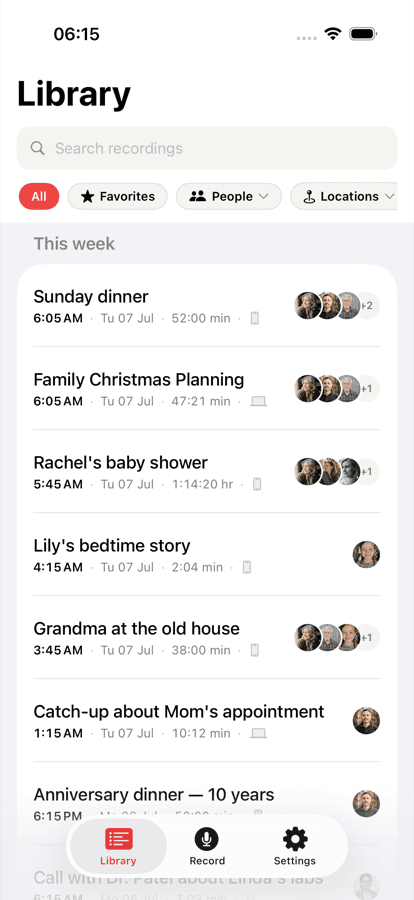
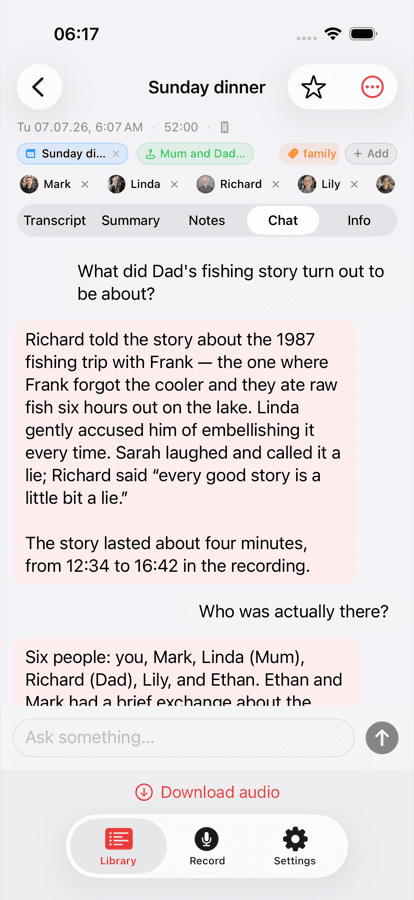
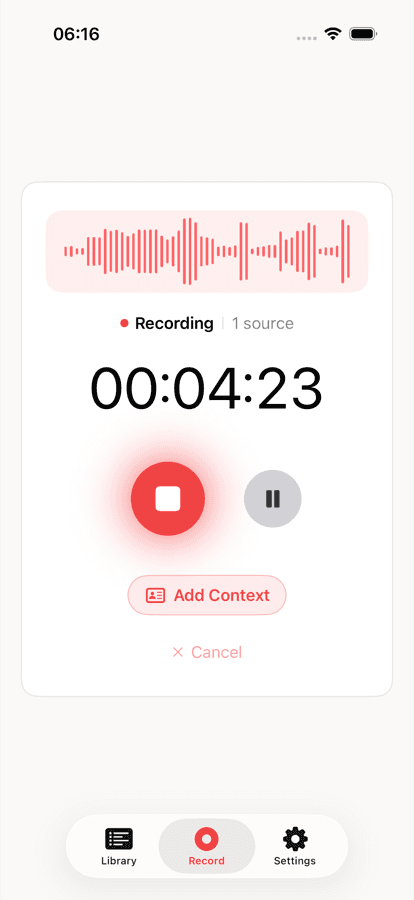
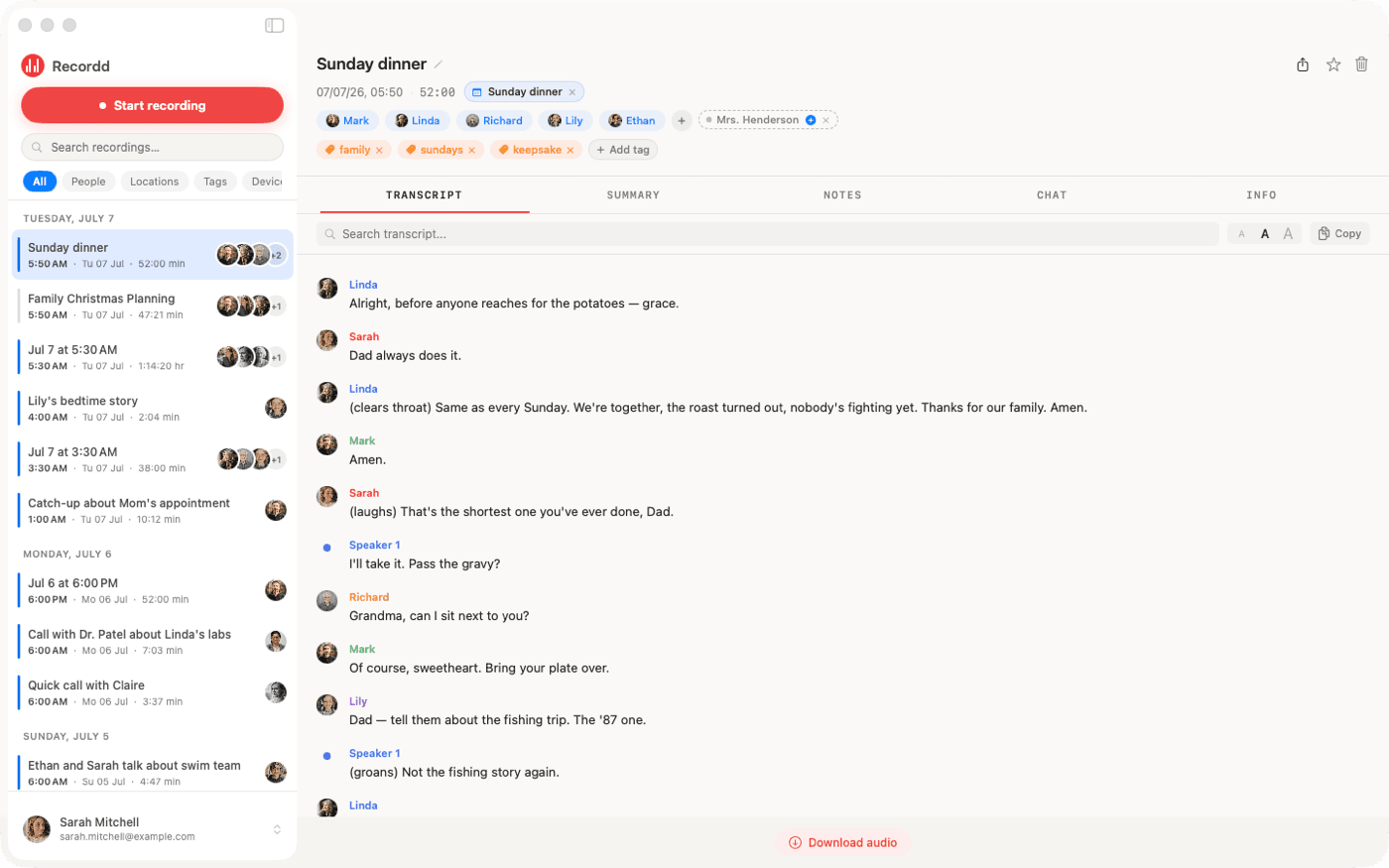
Your library on iPhone, ask-anything chat on any recording, and the full desktop transcript on Mac. Same library, everywhere.
Wave AI Note Taker vs Recordd questions
Before you switch.
Does Recordd record meetings without a bot like Wave?+
Yes, on Mac. Recordd records your microphone and the system audio as two separate tracks through Apple's ScreenCaptureKit. No bot joins the call and no virtual audio driver is installed. It works with FaceTime, Zoom, Google Meet, Microsoft Teams, Slack, WhatsApp, Discord, and anything playing in a browser. Press ⌘R to start.
Can Recordd record phone calls on iPhone?+
No. Apple only lets its own Phone app record cellular calls, so Recordd can't. An incoming call pauses your recording and it resumes afterwards. Wave offers a Phone Bridge for this; if recording phone calls on iPhone is essential, Wave is the better choice.
Is there a web app or an Android version?+
No. Recordd runs on iPhone, iPad, Mac, and Apple Watch, and one subscription covers all of them. The Mac app is a direct download with automatic updates, with a Mac App Store version in review. A free browser tool transcribes audio files up to an hour with no account at recordd.co/tools/transcribe-audio.
Can I ask questions across all my recordings?+
Not yet. You can chat with a single recording and jump to the moment something was said, and you can search every recording by word, person, place, or tag. Wave's assistant works across your whole history, which is a real advantage if that is how you work.
Is Recordd SOC 2 compliant?+
No. Recordd does not hold a SOC 2 report. Your recordings are encrypted in transit and at rest, are never used to train AI, and can be deleted at any time. If your organization requires SOC 2, Wave is the safer pick.
What happens if the app crashes while I'm recording?+
The audio is already on disk in short segments, and the segments recorded so far have uploaded. On next launch, Recordd recovers the recording and finishes it. This works the same for a force-quit, a Mac going to sleep, or a lost connection.
Download the voice recorder app for iPhone and Mac
Get Recordd.
40 minutes free. Every feature unlocked. Takes 30 seconds to set up, and your library compounds from minute one.
40 minutes free, forever · every feature included · try Pro free, cancel anytime